


Software Normativo
The all-in-one platform designed to streamline operations, automate HR workflows, and give your organization complete clarity and control. Built with precision and flexibility, Normativo empowers teams to work smarter, stay compliant, and boost productivity across every department.


User Journey
01


Request Demo
Start by submitting the demo request form. Once we receive it, our team contacts you to confirm your needs and prepare your workspace.

02


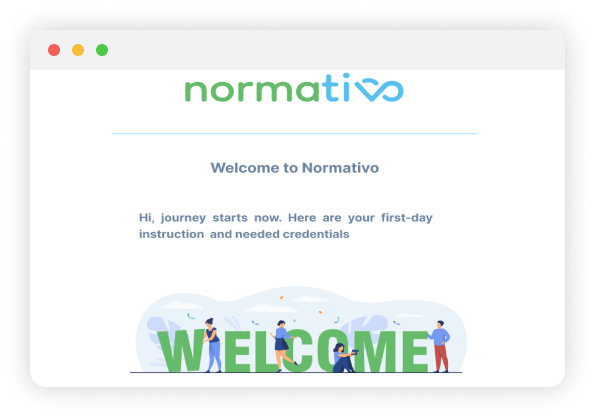
You will Get Credentials through mail
After your demo request is approved, you'll receive an email with everything you need to access Normativo. Use these credentials to log in and begin setup.

Your Domain Address
Super User Mail for Normativo
Password
Your Domain Address
Super User Mail for Normativo
Password
03


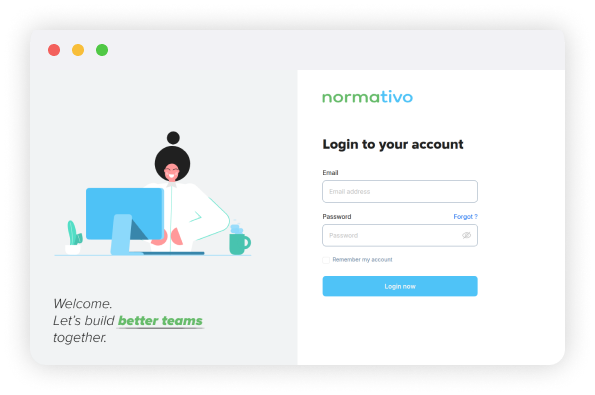
Entering a system
Sign in with your email and temporary password. After logging in, you'll land inside the platform where you can begin configuring your company structure.

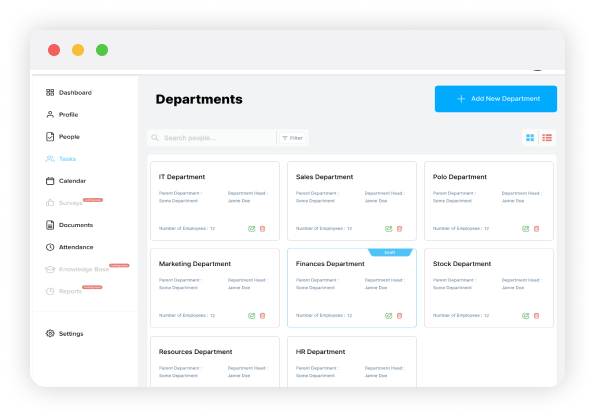
Create Department
Superusers can create departments directly from the Departments page in Settings. This builds your company structure and links all HR workflows automatically.
Department name
Parent department (optional)
Department Employees
Description
Department name
Parent department (optional)
Department Employees
Description

Add Positions
Next, define positions. This step sets up the roles employees will hold in the system. The Position details help automate onboarding, tasks, and approvals
Position Title
Headcount
Employment type (Remote Hybrid, on-site)
Status

Position Title
Headcount
Employment type (Remote Hybrid, on-site)
Status

Start Employee Onboarding
Begin onboarding by clicking Add Employee. And fill out simple form requiring Employee personal information, contact info and Job Details Upload any required documents and generate onboarding tasks for managers, such as creating email accounts or preparing equipment.


Vacation Workflow and Holidays
Configure your company's time-off rules and holiday calendar. Create categories like vacation, sick leave, maternity leave, and more. First create approver role lists (roles and permissions). Then set the approval structure: Set up and manage time off in one place. Employees request leave easily, and managers handle approvals with a clear, structured flow.
Company and country-specific calendars
Local and repetitive holidays included
Fast leave requests and quick approvals
Automatic email and in-platform notifications
Defined vacation types

Company and country-specific calendars
Local and repetitive holidays included
Fast leave requests and quick approvals
Automatic email and in-platform notifications
Defined vacation types
Software Features
Discover the powerful features that make our software the perfect solution for your need. streamline your workflow boost productivity
Software Features
Powerful, intuitive features built to streamline your daily processes and help your organization work smarter.

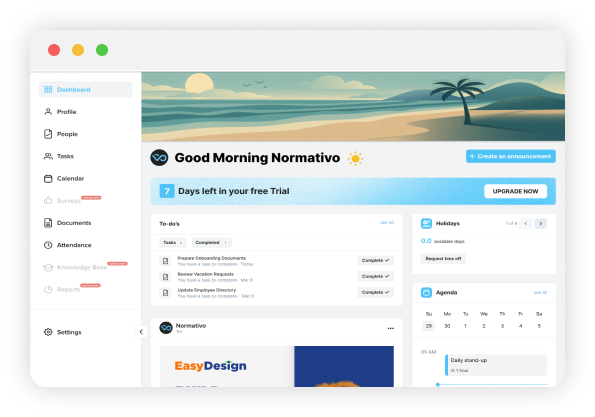
Intuitive Dashboard
The dashboard brings key daily updates into one view, so you can quickly see what's happening across the company.
Company newsfeed
Today's agenda and calendar preview
Time-off request window
Upcoming birthdays
Company links for quick access to internal resources
Company newsfeed
Today's agenda and calendar preview
Time-off request window
Upcoming birthdays
Company links for quick access to internal resources

Task management
All tasks related to onboarding, offboarding, and daily operations are organized in one place. You can see priorities, deadlines, and the status of every task at a glance.
Status tracking and filtering
Priority indicators
Upcoming deadline alerts
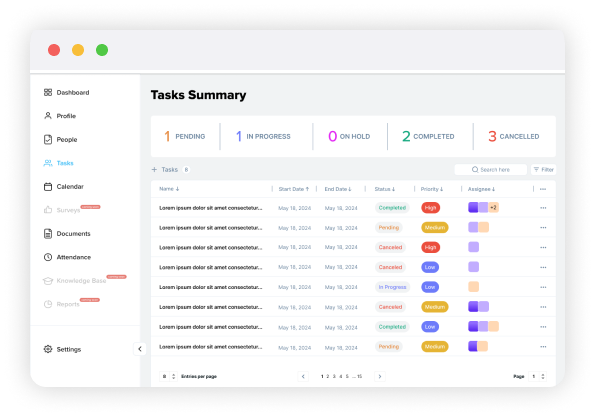
Status tracking and filtering
Priority indicators
Upcoming deadline alerts

Calendar
See all company events, holidays, and absences in one clean view. Employees get their own personal calendar and access to the general company calendar.
Real-time visibility for employees, HR managers.
Personal and company-wide calendars
Sync with leave and attendance
National holiday sets
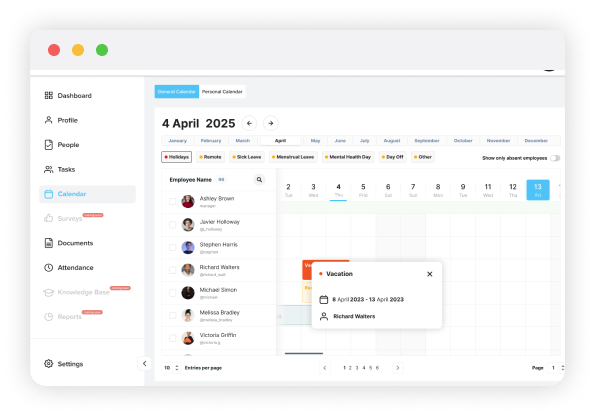
Real-time visibility for employees, HR managers.
Personal and company-wide calendars
Sync with leave and attendance
National holiday sets

Document Management
Manage all company and employee documents from one centralized page. Files are easy to upload and categorize.
Secure and searchable storage
Upload for all file types
Personal and general document spaces
Category-based organization
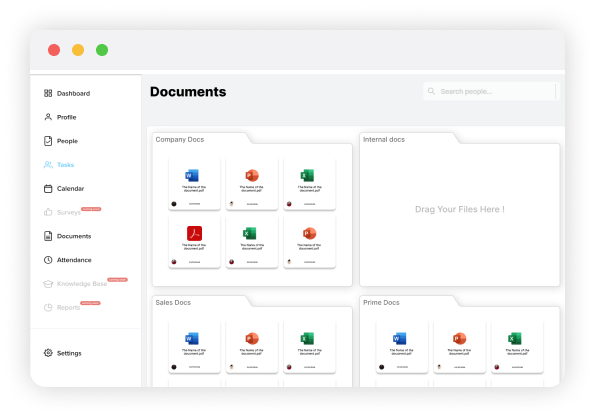
Secure and searchable storage
Upload for all file types
Personal and general document spaces
Category-based organization

Org-chart
View your company structure visually. Departments, roles, and employees update automatically when changes are made in the system.
Dynamic company structure
Department and role grouping
Editable departments

Dynamic company structure
Department and role grouping
Editable departments

Vacation management
Handle leave requests, holidays, and approval workflows in a structured way. Employees request leave and managers approve with clear visibility
Automatic email and in-platform notifications
Local and company holidays
Defined approval levels and workflows
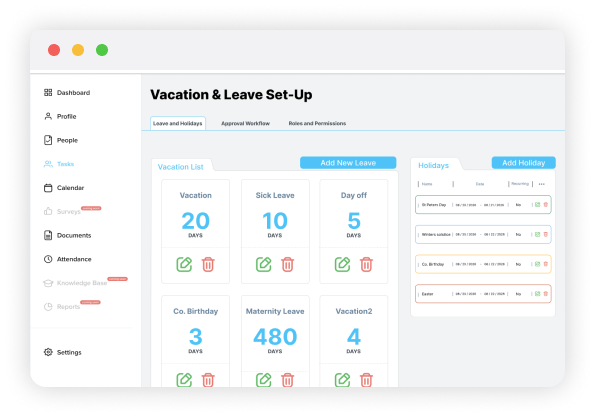
Automatic email and in-platform notifications
Local and company holidays
Defined approval levels and workflows

Easy Onboarding
Add new employees, complete their information, assign their role, and create task lists for managers. All onboarding steps are organized in a single form.
Personal, job, and contact details
Document uploads
Department and position assignment
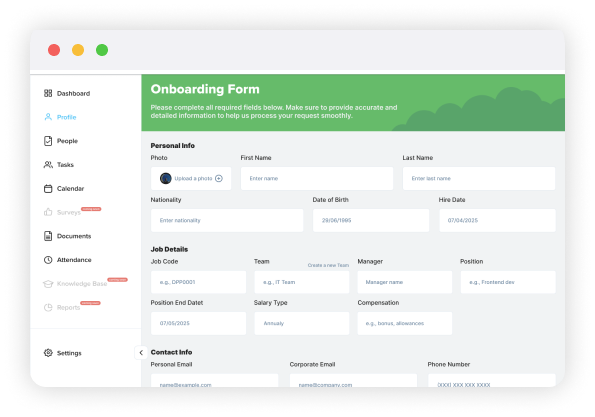
Personal, job, and contact details
Document uploads
Department and position assignment

And Offboarding
The platform guides HR managers through every required step so documents, responsibilities, and access updates are handled smoothly.
One-click removal once all steps are completed
Clear, structured offboarding workflow
Upcoming deadline alerts
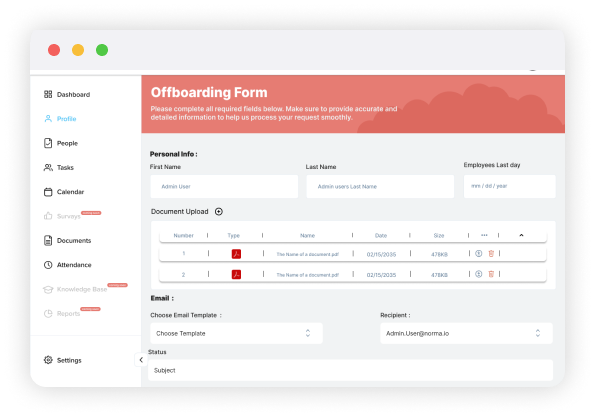
One-click removal once all steps are completed
Clear, structured offboarding workflow
Reminders for pending actions, like deactivating accounts